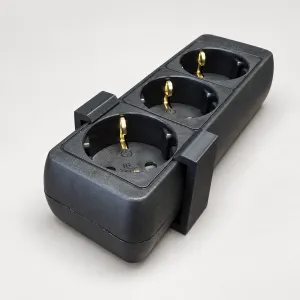
Mounting
Hanging an extension lead under your desk
An extension lead on the floor collects dust, crumbs and the hoover. Under the desktop it's out of sight and stays clean. Here's how to put it up.
MODUXO
An extension lead under a desk nearly always lies on the floor. There it collects dust and crumbs, you knock plugs loose with your feet, and when you hoover it slides all over the place. Hang it under the desktop and that's sorted in one go — and you no longer see the cables.
Choose the spot first
- At the back, not in the middle. You don't want to catch it with your knees. Check where your legs go when you're sitting normally.
- On the side where the power comes in. That saves a length of cable you'd only have to tidy away afterwards.
- Not directly above a radiator. Power supplies get warm enough on their own; extra heat from below doesn't help.
- Within reach. Now and then you want to plug something in without crawling under your desk with a torch.
Screw length is the only thing that goes wrong
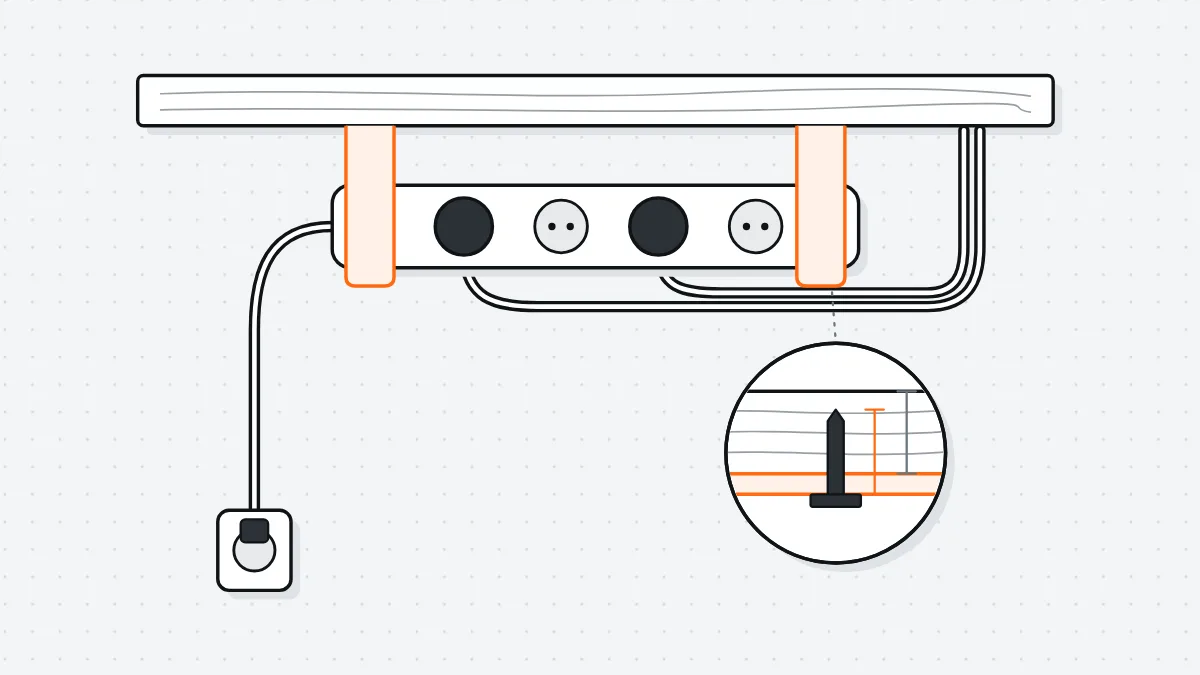
Never use a screw longer than the thickness of your desktop minus 3 mm. A standard desktop is 18 mm, so you use screws of 15 mm at most. If you don't, you'll come through the top of your desk, and there's no undoing that.
Not sure how thick it is? Measure it at the edge with callipers or a ruler. On a desktop with a rounded edge, measure in the middle of the edge, not at the thinnest point.
Sit-stand desk: mind the highest position
Fix everything to the desktop, never to the frame. If a cable runs from the extension lead to a fixed wall socket, check that it is long enough with the desk all the way up. Raise the desk to its highest position once before you set the cable length; otherwise one day you'll pull it straight out.
Fitting
- Hold the holder against the underside of the desktop and mark the holes with a pencil.
- Drill 2.5 mm pilot holes. In melamine-faced chipboard, a pilot hole saves you a torn-out hole.
- Screw the holder in place, clip the extension lead into it and check that it sits firmly.
- Bundle the cables with Velcro straps, not with cable ties pulled tight.
What it does and doesn't fix
Does: the extension lead is off the floor, you can't see it, and the cables have a fixed route.
Doesn't: the loose adapters for your laptop and monitor are still hanging from their own cables. For those you'll need a tray or a second holder.