

Mounting
How to mount a UniFi Cloud Gateway Ultra neatly on the wall
A gateway sitting loose on a shelf is a gateway that will end up on the floor one day. Give it half an hour and it hangs on the wall: tidy, cool and easy to reach.
MODUXO
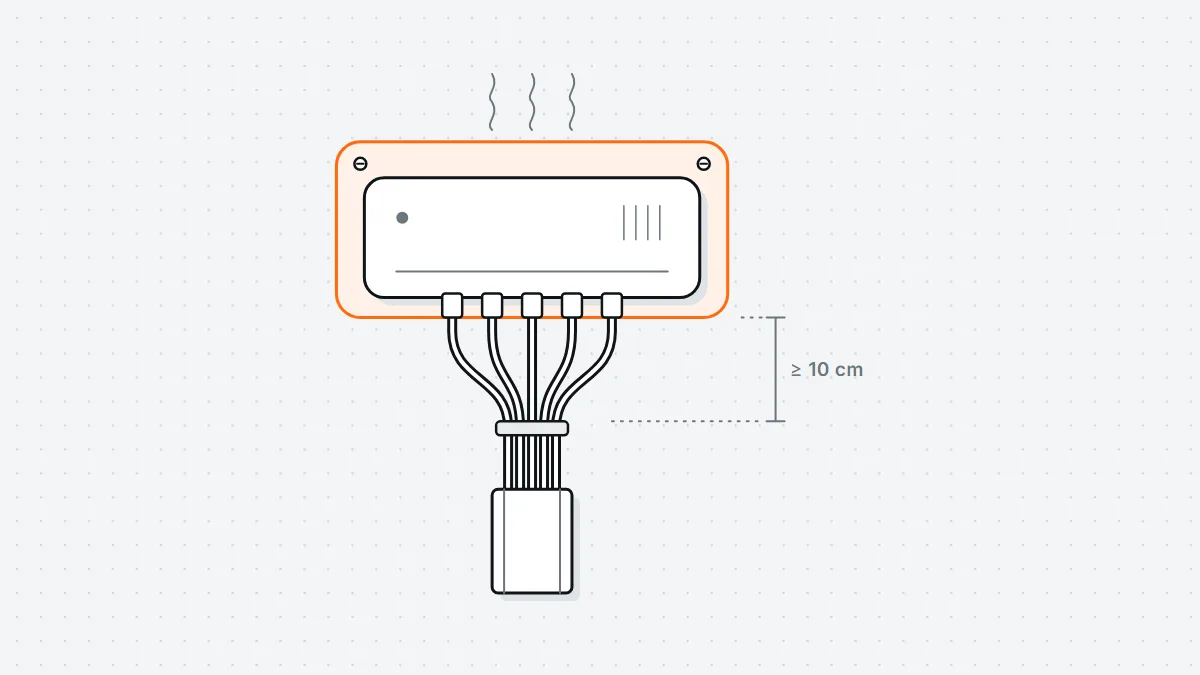
The Cloud Gateway Ultra is small enough to put down anywhere, and that is exactly the problem: it sits on a shelf, the cables pull it askew and the first time you hoover it ends up on the floor. On the wall it stays put, runs cooler and you can actually see the status LEDs.
Choose the spot first
- Near the meter cupboard or the patch cabinet, because that is where your internet connection comes in. The shorter the WAN cable, the less you have to tidy away.
- Not in a closed cupboard without ventilation. The unit is passively cooled; in a sealed cabinet the temperature climbs and it starts throttling.
- At eye level or a little lower. Now and then you want to plug in a cable without climbing a stepladder.
- At least ten centimetres clear underneath for the bend in the network cables. A bend that is too tight right behind the connector is the most common cause of a connection that drops out every so often.
Marking out and drilling
- Hold the bracket against the wall, level it and mark the holes with a pencil. Do this with the bracket, not the device: the holes are rarely where you would expect them by eye.
- In brick or concrete: drill 6 mm, use a nylon wall plug and a 4 x 40 mm screw. Switch on hammer mode, but not in a wall where pipes or cables might run — check with a detector first, especially within 30 cm of a socket or switch.
- In plasterboard: use a cavity wall fixing (a metal spring toggle, for example) or screw into the metal stud behind it. An ordinary wall plug in plasterboard won't hold the weight of the gateway plus its cables in the long run.
- In wood: a 2.5 mm pilot hole and screwing it straight in is enough.
Connecting and tidying the cables
Connect the WAN cable first, then the LAN cables, then the power. Leave a loop of about ten centimetres in each cable just behind the device. That loop is your slack: without it you tug on the connector every time you change something, and that is exactly where the little latches snap off.
Bundle the cables a little way below the gateway with Velcro straps, not with cable ties pulled tight. A tight cable tie deforms the twisted pairs inside the cable and that costs you speed — especially on 2.5 Gbit links.
Don't forget the power supply. With an otherwise tidy wall mount it is often the only thing left dangling from its own cable, and that is exactly how an adapter gives up over time. See tidying away the power supply of your UniFi switch.
Checking
- Does the bracket stay put when you give it a firm tug? Plasterboard will tell you straight away.
- Can you reach every port without taking the bracket off?
- After an hour of running, is the casing warm to the touch rather than hot? If it gets too hot, it is too close to a wall or in too tight a space.
- Is there no tension on any cable? A cable that pulls the device sideways will have worked the screws loose within a year.
What you need
A drill, a 6 mm masonry bit, a spirit level, a pencil, a Phillips screwdriver, wall plugs and screws, and Velcro straps for the cables. Allow half an hour, including clearing up.